Your orders
Follow an order from the seller to the warehouse, read its QC photos, and handle price changes, cancellations and returns.
Everything you buy and ship lives under Orders in your account.
What needs you
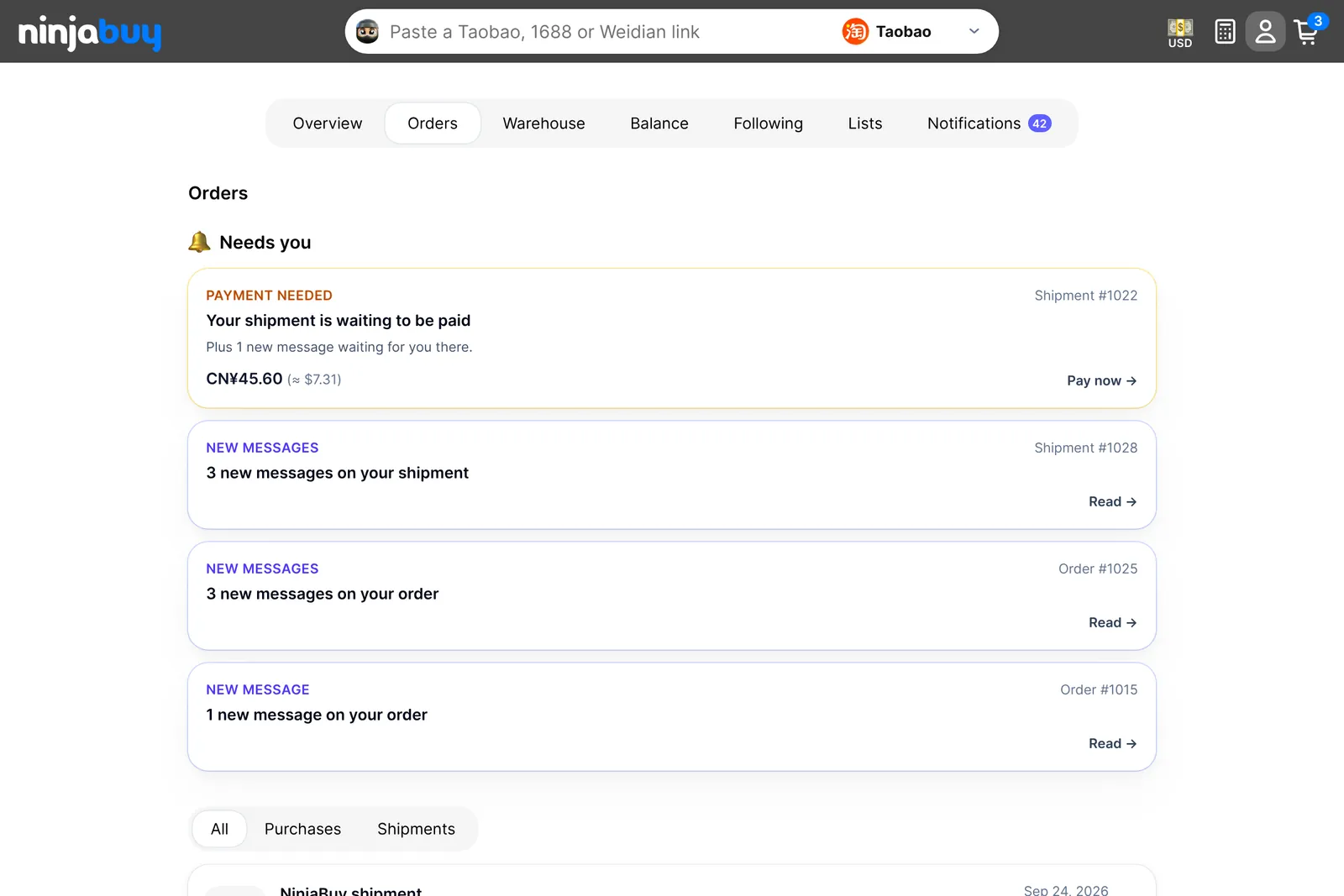
The top of the Orders tab lists anything waiting on you, such as a payment to make or a new message from our team. Below that is every order you've placed. Filter it by Purchases (items you bought) or Shipments (parcels you sent).
Order statuses
| Status | What it means |
|---|---|
| Finding and purchasing your items | We're buying your items from the sellers |
| Ordered from sellers | The sellers have your order and will ship it to our warehouse |
| At the warehouse · quality check next | Your items arrived and are waiting for QC photos |
| Ready to ship | Your items have arrived and their QC photos are ready to review |
| An item is unavailable | A seller couldn't supply an item. It's cancelled and refunded to your balance |
| Payment needed | Something on this order is waiting for you to pay |
| Preparing your shipment | A parcel you paid for is being packed |
| Shipped | The parcel is on its way to you |
| Cancelled | The order was cancelled |
Follow each item
Open an order to see every item and where it is:
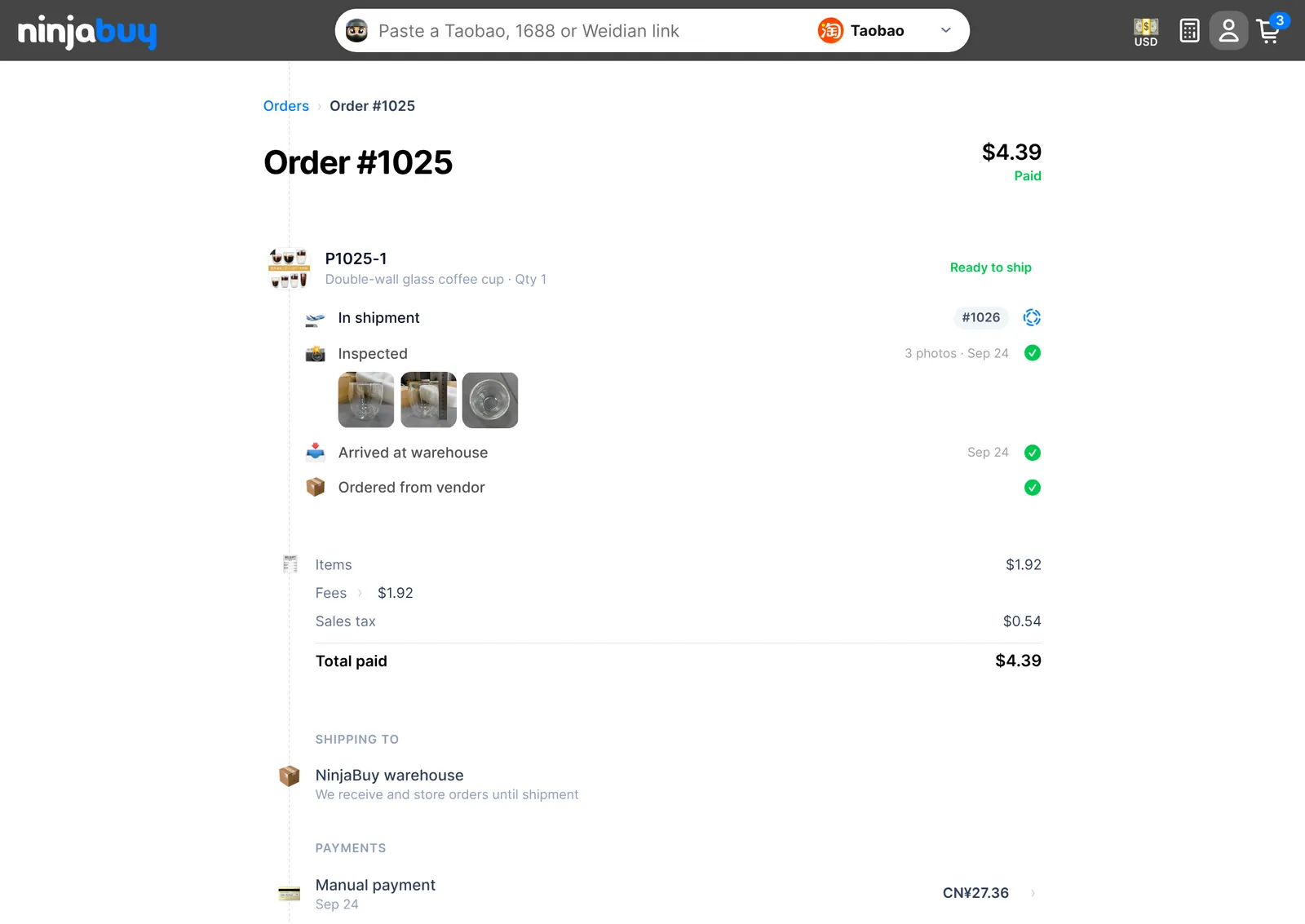
Each item moves through the same steps: Ordered from vendor, Arrived at warehouse, Inspected, and then In shipment once you add it to a parcel. Tap a QC photo to see it full size and download it. We email you when an item's photos are ready.
The QC photos are your chance to check the item before it leaves China. We check the style, color, size and quantity against your order and photograph any visible damage. We don't open sealed packaging, power on electronics, or check whether a brand is authentic.
Every order has its own conversation with our team. Use it for anything about that order; new replies show up under Needs you and in your Notifications.
Price changes
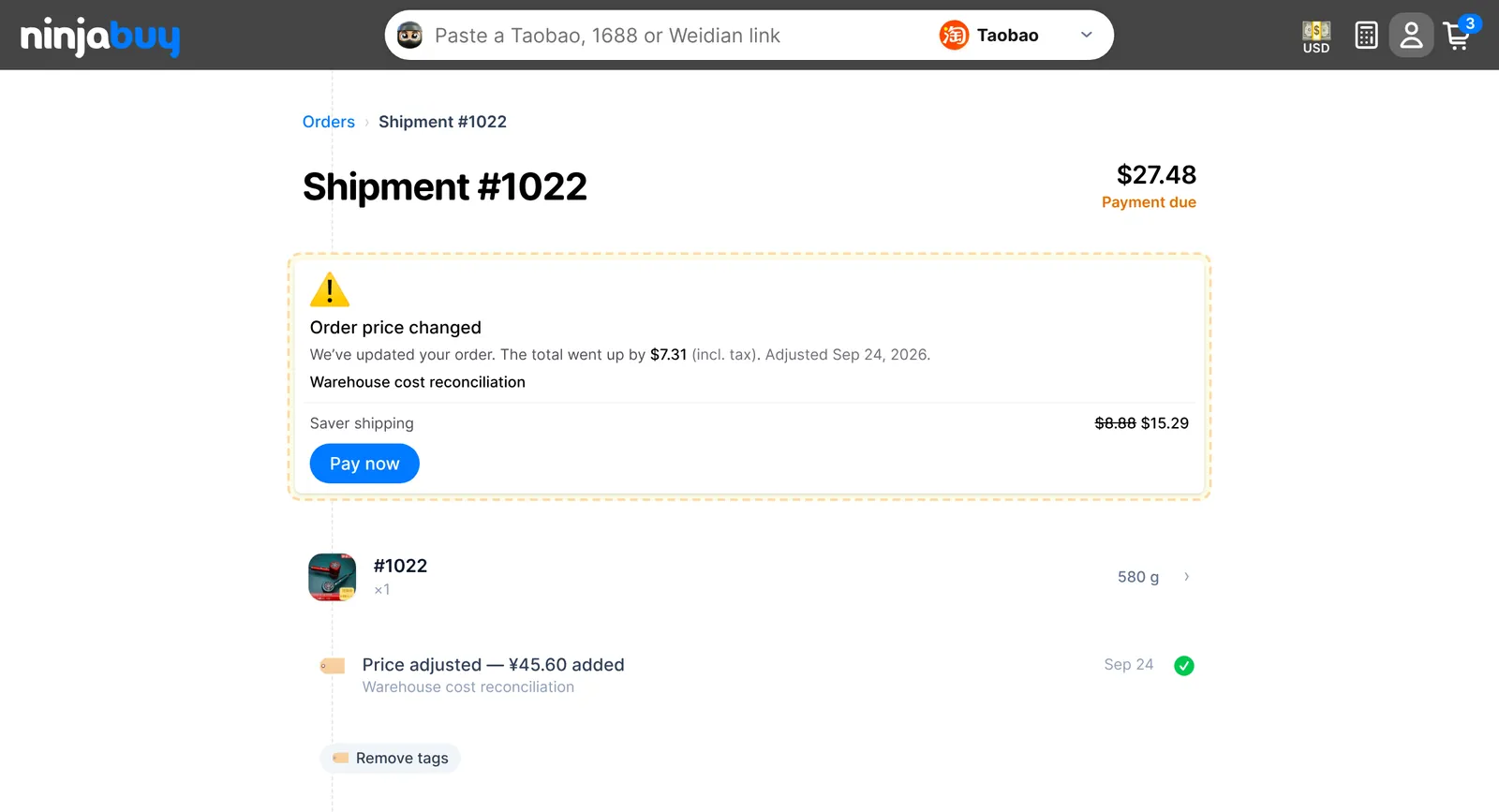
Sometimes the real price differs from what you paid: a seller changed the price, a custom item cost more than your estimate, or a packed parcel weighs more than we estimated. When that happens, we update the order and tell you why.
- If it went down, the difference is refunded to your balance straight away.
- If it went up, the order shows Order price changed with the amount and our reason. Choose Pay now to cover the difference. If you don't want the item at the new price, use that item's own Request cancellation button below (see Cancelling or returning an item). To question the change, use the order's conversation.
Cancelling or returning an item
Each item on the order page has one button, depending on where it is:
- Request cancellation while the item hasn't reached our warehouse yet
- Request return once it has arrived
Pick a reason, the quantity, and add any notes, then submit. The request shows Pending review while our team works on it with the seller. You can withdraw it until then. Requested units can't be added to a shipment while the request is open.
How long refunds take, what a return costs, and what can't be returned: Returns and Refunds.