Your balance
What your NinjaBuy balance is, how to top it up, and where refunds go.
Your balance is store credit in Chinese yuan (CN¥), held on your NinjaBuy account. Find it under Balance in your account, with your most recent top-ups, payments and refunds listed underneath.
What it's for
- Placing a shipment is always paid from your balance. See Paying for a shipment.
- Any order can use it: turn on Use my balance at checkout and it's spent before your card, with any remainder charged to the card. See Paying.
- Price changes on an order can be paid from it.
Top up
Choose Top up on the Balance tab, pick or type an amount, and pay with your card.
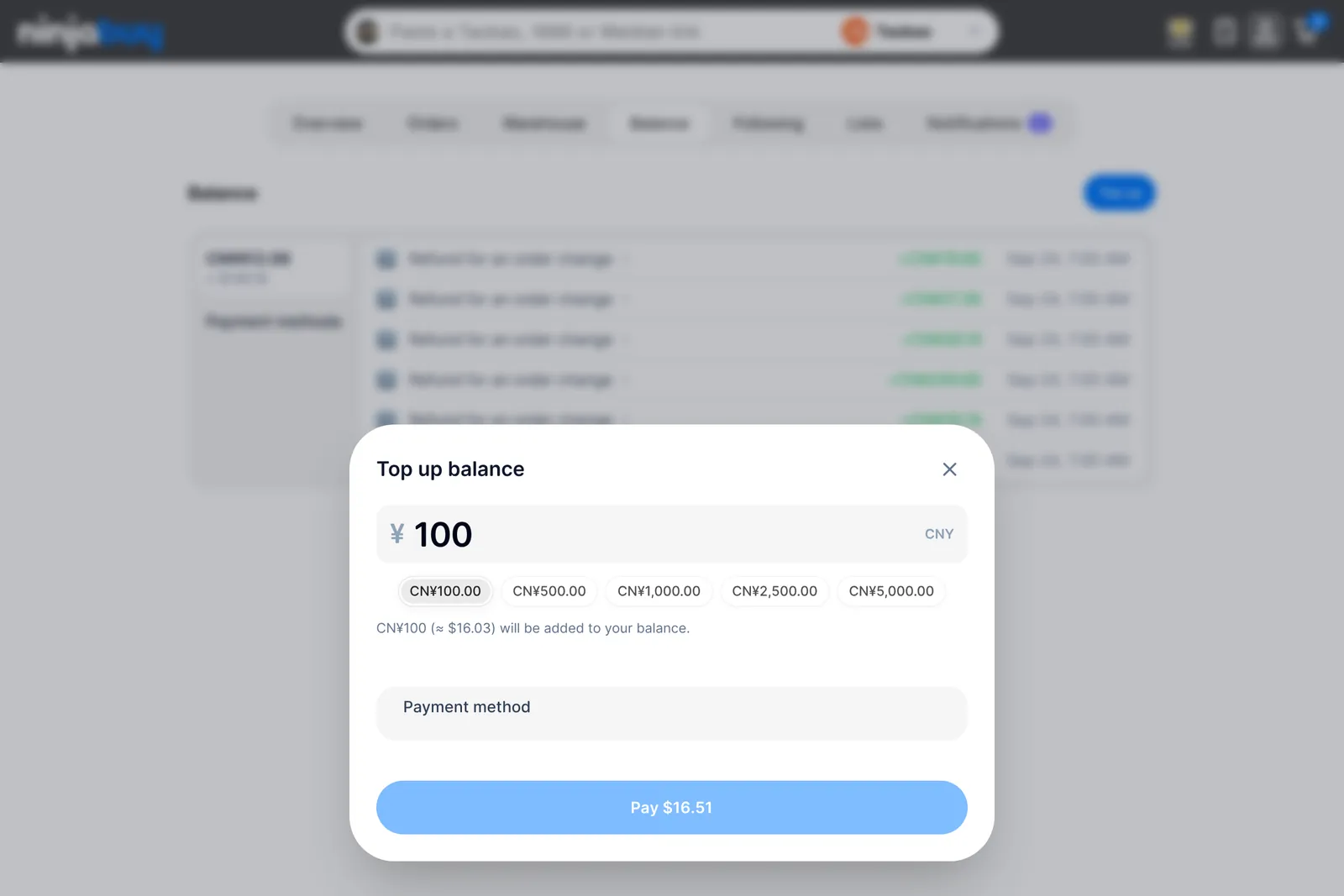
The smallest top-up is CN¥67.00. If you pay in a currency other than CN¥, the window shows what you'll be charged, including the currency conversion fee, before you pay. Some bank payments take a little while to clear; your balance updates when they do.
You rarely need to top up in advance: when a shipment costs more than your balance, the shipment window offers a top-up that covers what's missing. It's rounded up to whole yuan and is never below the minimum, so you may add a little more than you're short. The rest stays in your balance.
Refunds
Refunds land in your balance first: an unavailable item, a completed return, a price that went down, or a cancelled shipment. Each credit shows up in your balance history.
If you cancel before your card was actually charged, there's nothing to refund to your balance — we release the card authorization instead, and your bank drops the pending charge on its own schedule.
If you'd rather have a card payment's refund back on the card, message us and we'll send it there.
The fine print
Your balance is store credit for use on NinjaBuy. It isn't a currency and can't be moved to another account. See Credit Balance and Payments in the Terms.