Shipping your parcel
Combine warehouse items into one parcel, choose a shipping line, pay, and track it home.
Shipping is the second payment. You choose which items go in the parcel, how fast it travels, and where it goes.
Create a shipment
In your warehouse, tick the items you want and choose Create shipment.
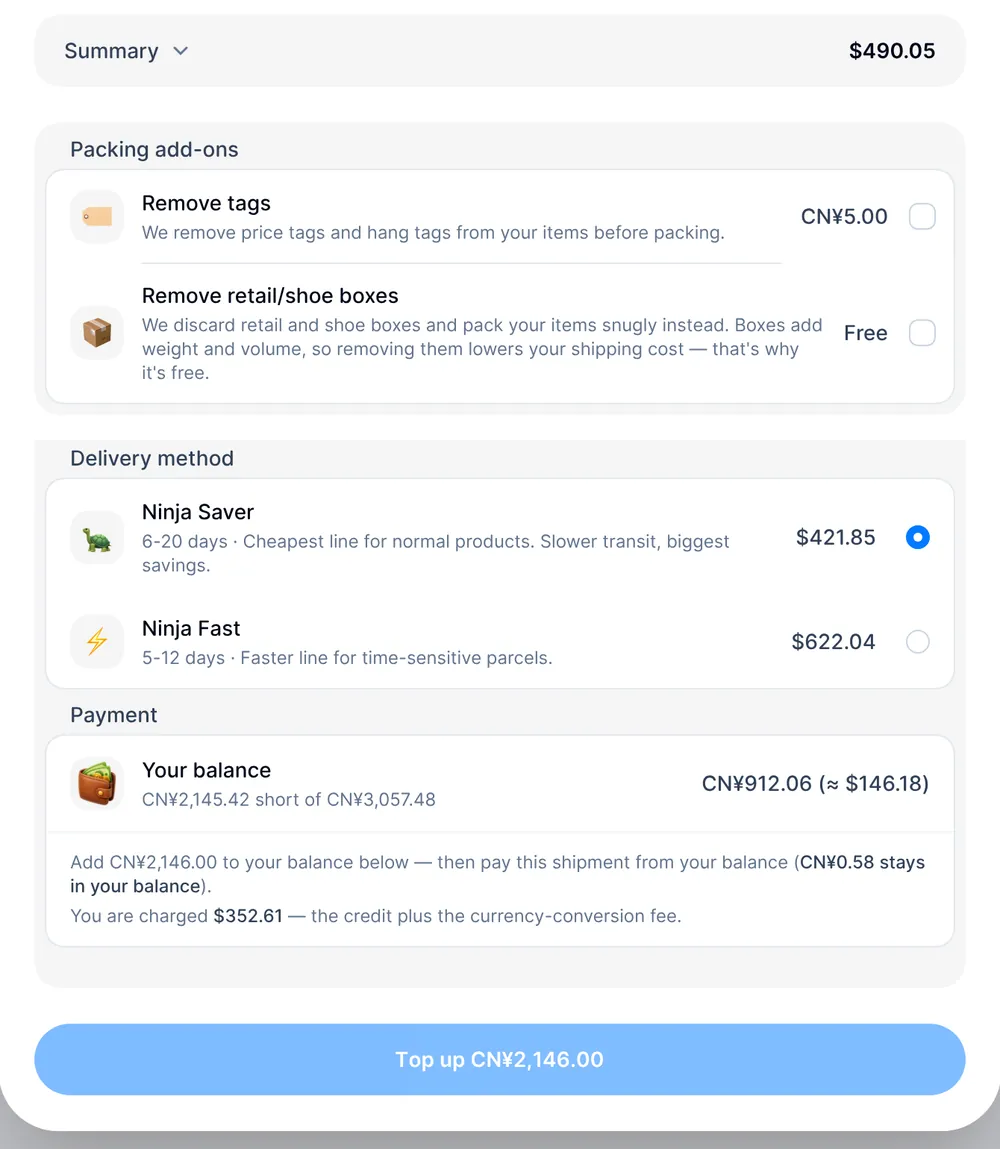
- Packing add-ons. Optional extras we do while packing: removing tags and
removing retail or shoe boxes.
- Remove tags (CN¥5.00): We remove price tags and hang tags from your items before packing.
- Remove retail/shoe boxes (free): We discard retail and shoe boxes and pack your items snugly instead. Boxes add weight and volume, so removing them lowers your shipping cost — that's why it's free.
- Delivery address. Where the parcel goes.
- Delivery method. Pick a shipping line — Saver or Fast. Each shows its
price for this parcel:
- Ninja Saver (6-20 days): Cheapest line for normal products. Slower transit, biggest savings.
- Ninja Fast (5-12 days): Faster line for time-sensitive parcels.
What the shipment costs
The shipment's summary shows Shipping, priced on your items' combined weight and your destination, and a small flat Handling fee for picking your items from storage, packing, and preparing the parcel. Any packing add-ons you chose show as their own lines.
For bulky but light parcels, carriers may charge by volumetric weight instead of actual weight. We charge whichever is higher.
Paying
You pay to place a shipment from your balance. If your balance already covers it, the button reads Pay ¥… from balance, and that's it.
If it doesn't, the button reads Top up ¥… with the amount you're short. That top-up is its own card payment — it only tops up your balance, it doesn't place the shipment. Once your balance updates, the same page shows a fresh Pay ¥… from balance button; press it to actually pay for and place the shipment. The top-up is rounded up to whole yuan and is never smaller than CN¥67.00, so you may add more than you're short, and the leftover stays in your balance for next time. If you pay the top-up in a currency other than CN¥, the top-up panel shows the card charge, including the currency conversion fee, before you pay. The shipment summary itself never includes that fee, because the shipment is paid from your CN¥ balance.
After you pay
Your shipment appears in Orders as Preparing your shipment while we pack it.
Your quote used your items' individual weights. Once packed, we weigh the real parcel. If the carrier's cost comes out higher than what you paid, the shipment shows a price change for you to pay before it ships; if it comes out lower, we refund the difference to your balance. See Price changes.
Need to change or cancel a shipment? Message us from the shipment's page before we start packing it — once packing begins, it can no longer be cancelled. A cancelled shipment's payment goes back to your balance and its items return to your warehouse.
Tracking
When the parcel leaves our warehouse, the shipment changes to Shipped and we email you its tracking number with a link to follow it. Gaps in tracking are normal while a parcel is in customs.
When it arrives, your country may charge import duties or taxes. You are the importer, and we declare the real value of your goods. See Customs and duties.