Placing an order
Your cart, checkout, what each line of the total means, and how to pay.
Checking out pays for your items and gets them from the sellers to our warehouse in China. International shipping comes later, when you ship your parcel.
Your cart
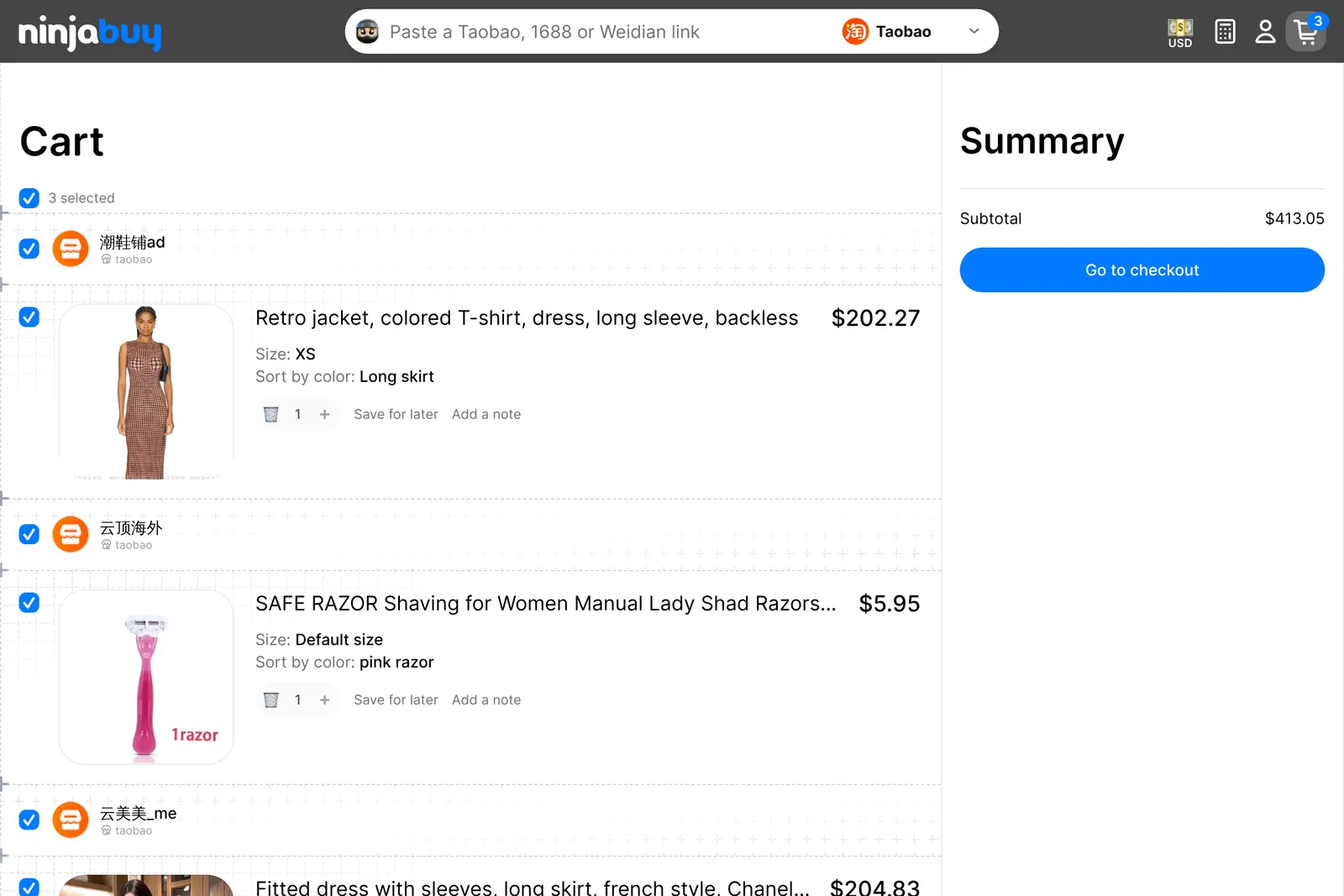
Your cart groups items by seller. For each item you can:
- change the quantity, or remove it
- Add a note for the person who buys it, such as "check the shoe size label" or "no seller freebies"
- Save for later, which moves it out of the cart into your Saved for later list
Tick the items you want to buy now and choose Go to checkout. Anything you leave unticked stays in your cart.
Checkout
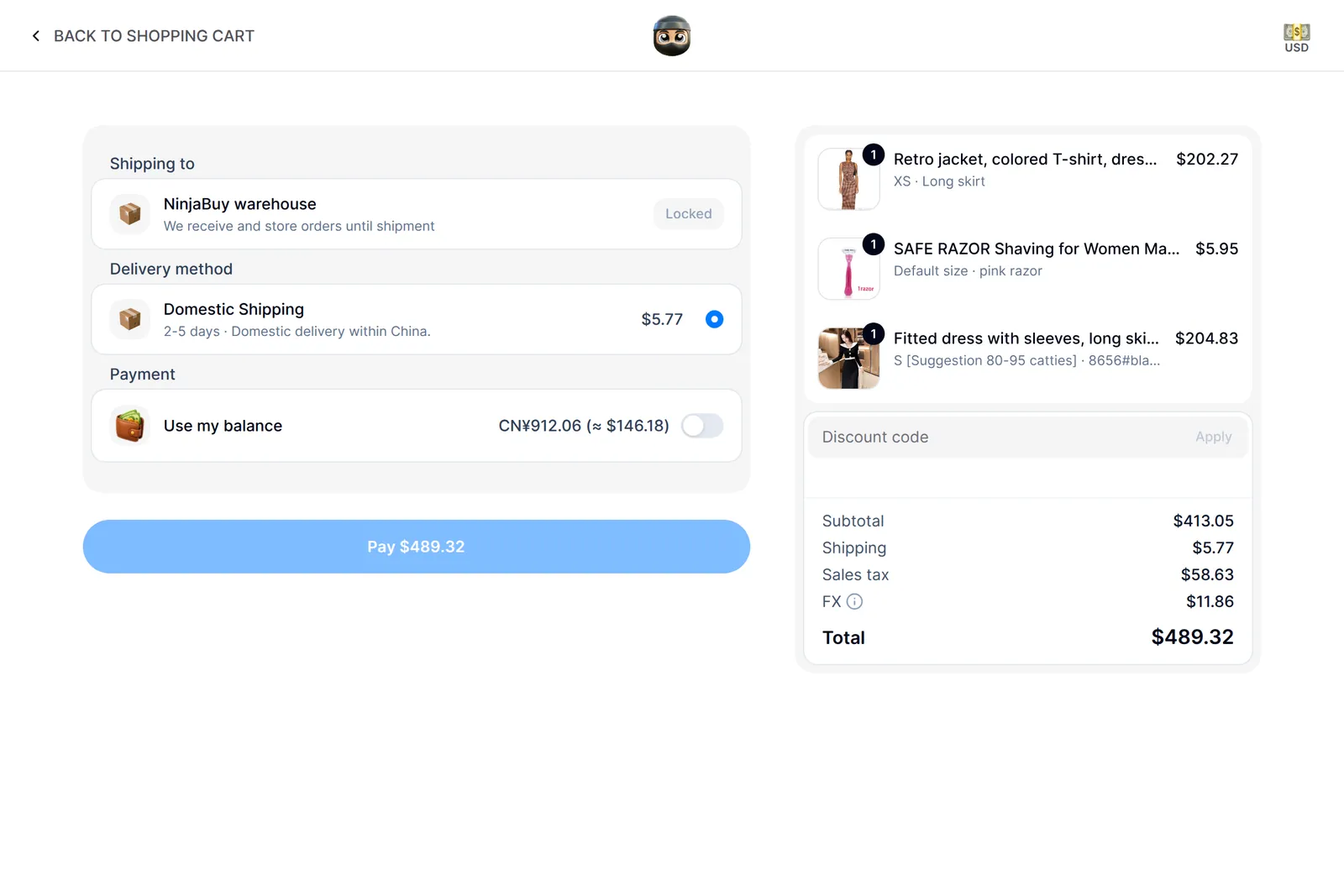
Your order always ships to the NinjaBuy warehouse first, so there is no address to enter yet. You give us your home address when you create a shipment.
The total is made of these lines:
| Line | What it is |
|---|---|
| Subtotal | The items, at the seller's price |
| Discount | Your discount code, if you entered one |
| Shipping | Domestic shipping from each seller to our warehouse: CN¥12.00 per item line |
| Sales tax | A flat sales tax on everything above |
| FX | A 2.5% currency conversion fee, only when you pay in a currency other than CN¥ |
| Total | What you pay now |
Discount codes. Enter one code per order before you pay. It comes off the items, not the fees, and tax is charged on the discounted amount.
Paying
Pay by card, or with Apple Pay or Google Pay where your device supports it. The product page also offers Apple Pay and Google Pay as a one-tap Buy now.
Turn on Use my balance to spend your NinjaBuy balance first. If it covers the whole order, nothing is charged to your card. If it doesn't, the rest is charged to your payment method, and the FX fee applies only to that rest.
Some card payments start as a hold. Your bank may show the charge as pending until we confirm the order.
After you pay
We take you to your new order, and you get an email confirming it. From there we:
- buy each item from its seller
- wait for the seller to ship it to our warehouse
- weigh it, check it against your order, and add QC photos
You can follow every step on the order page. See Your orders.
Changed your mind? You can cancel an item from the order page before it reaches the warehouse. See Cancellations.